Describe the screen you need instead of building it.
Prompturn has no menus. One prompt bar, and whatever you ask for is assembled around your own data: a grid, a record page, a form, a board, a chart, a calendar. The same sentence can add a table, write a validation rule, or build an automation. It started as a CRM. It is now whatever your business runs on.
Type what your business does
The same question the product asks on your first morning, answered here with what you would actually get. No account, nothing stored, and no model asked: every figure below is read off the catalogue by the function the order screen prices a build with.
An example sentence, until you write your own.
What we already ship for that
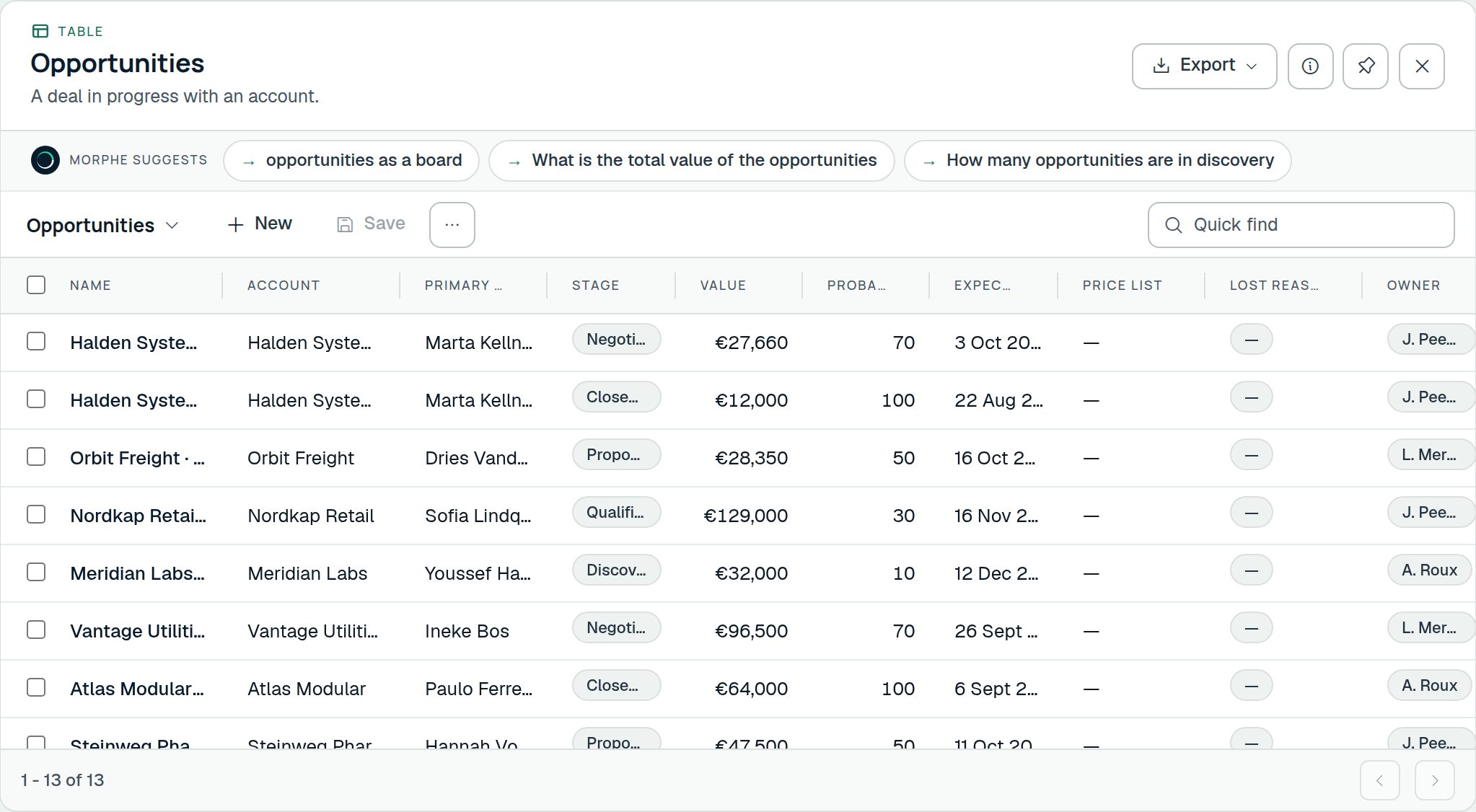
- Projects The work you have taken on: who it is for, what it is worth, what it breaks into, what changed along the way, and what it has cost. Brings Projects, Project tasks, Milestones, Project expenses named by: projects
- Timesheets Hours against the work they went into, sent as a week, approved by somebody, and what they add up to in money. Brings Timesheets, Time entries named by: hours
- Modules
- 3
- Tables
- 7
- Columns
- 76
- Screens kept
- 7
These arrive in a few seconds and cost nothing beyond the seat: they are in the subscription, with the tables that trade runs on and examples already in them.
Or have the whole application designed around that sentence instead — your tables, what each of them moves through, your rules, your automations — read whole before any of it exists.
Pick a shape of business, or have one designed for yours
Every trial starts with something in it. Take an app whole and the tables that trade runs on are there when you arrive, with examples in them. Or describe what you do and have the whole application designed for it, which is what this product is for.
 Start with this
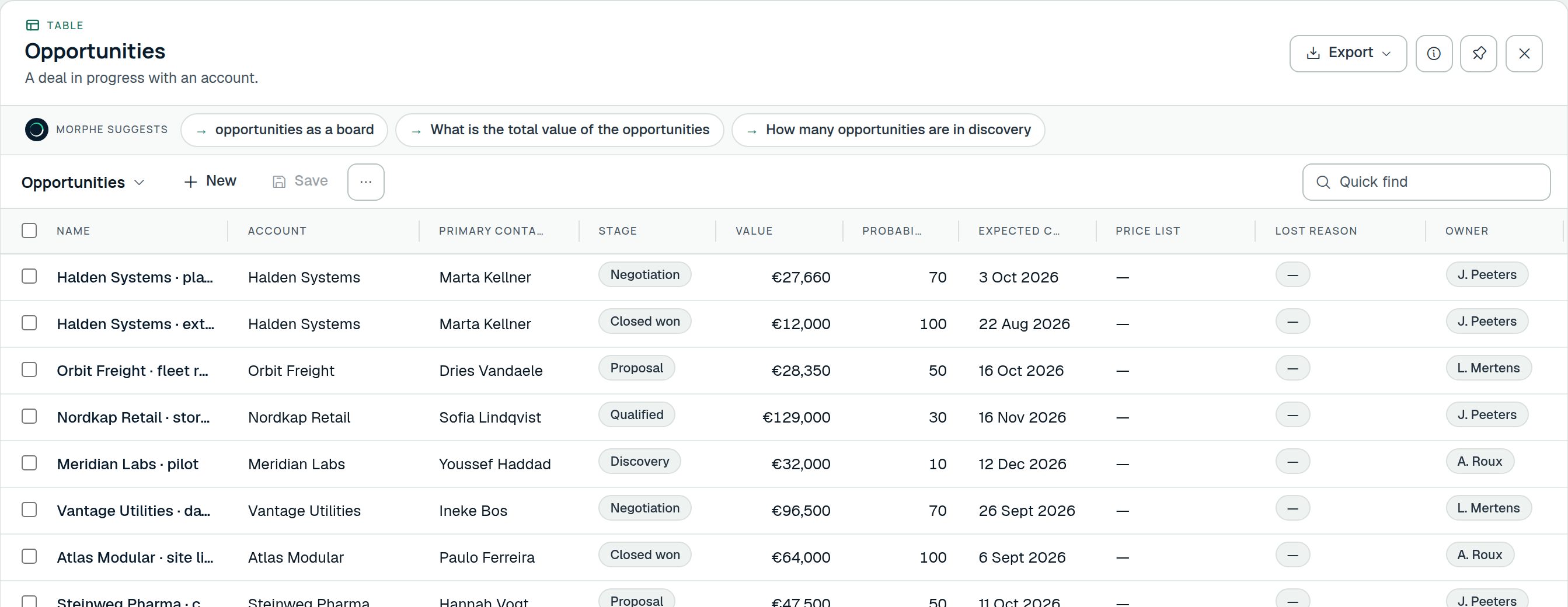
ProjectsBrings Projects, Project tasks, Milestones, Project expenses
The work you have taken on: who it is for, what it is worth, what it breaks into, what changed along the way, and what it has cost.
Start with this
ProjectsBrings Projects, Project tasks, Milestones, Project expenses
The work you have taken on: who it is for, what it is worth, what it breaks into, what changed along the way, and what it has cost.
 Start with this
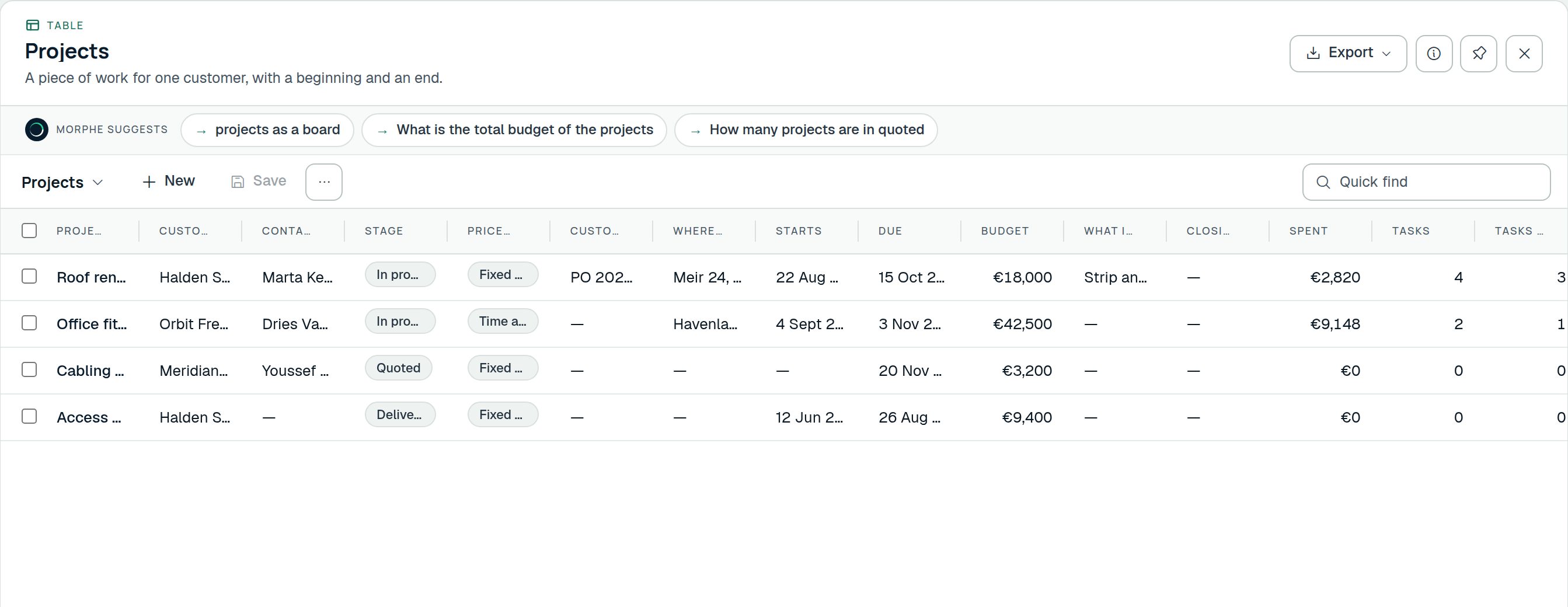
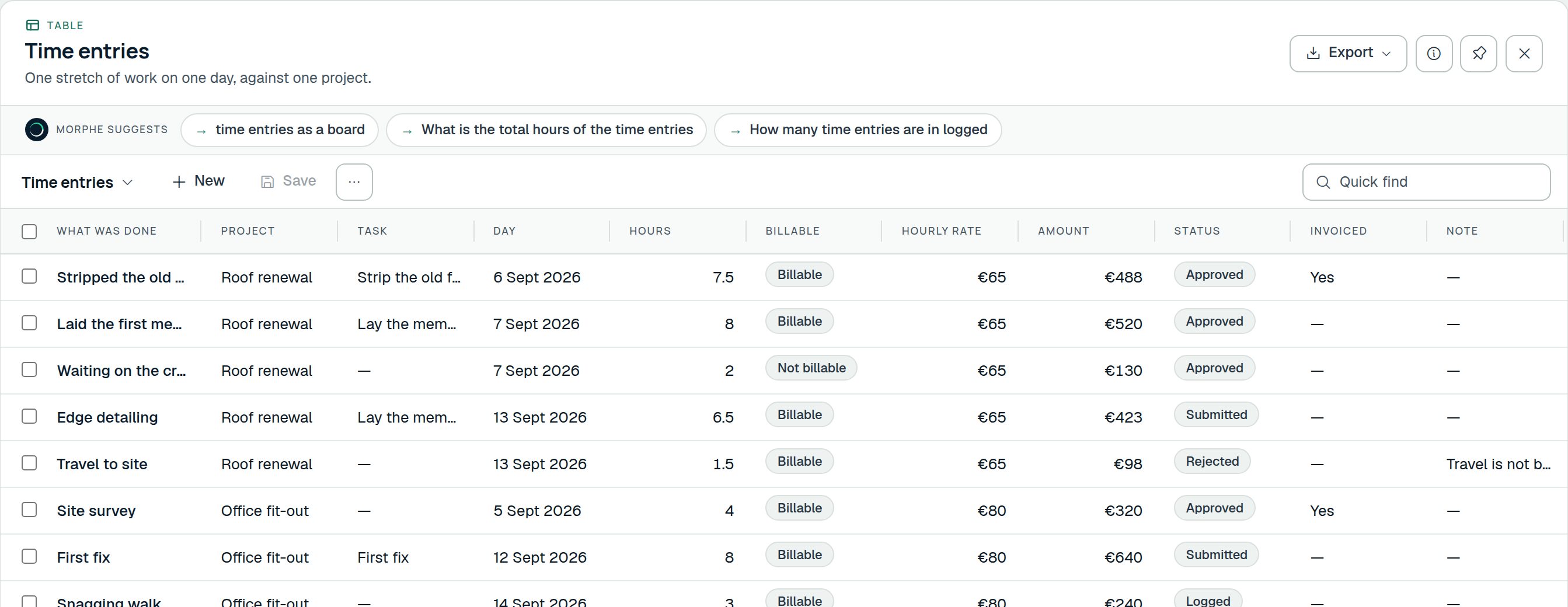
TimesheetsBrings Timesheets, Time entries
Hours against the work they went into, sent as a week, approved by somebody, and what they add up to in money.
Start with this
TimesheetsBrings Timesheets, Time entries
Hours against the work they went into, sent as a week, approved by somebody, and what they add up to in money.
 Start with this
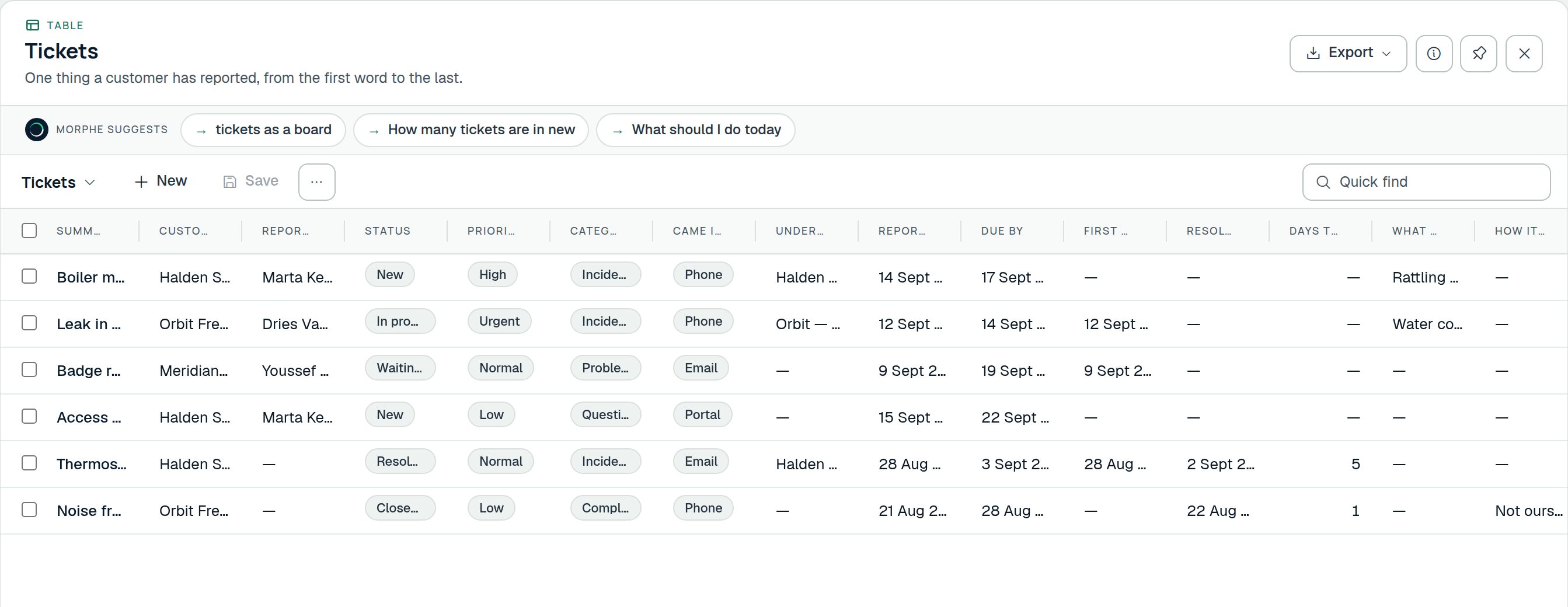
HelpdeskBrings Tickets, Service contracts, Assets, Knowledge articles
What customers have reported, about which of their equipment, what they were promised, and what fixed it last time.
Start with this
HelpdeskBrings Tickets, Service contracts, Assets, Knowledge articles
What customers have reported, about which of their equipment, what they were promised, and what fixed it last time.
 Start with this
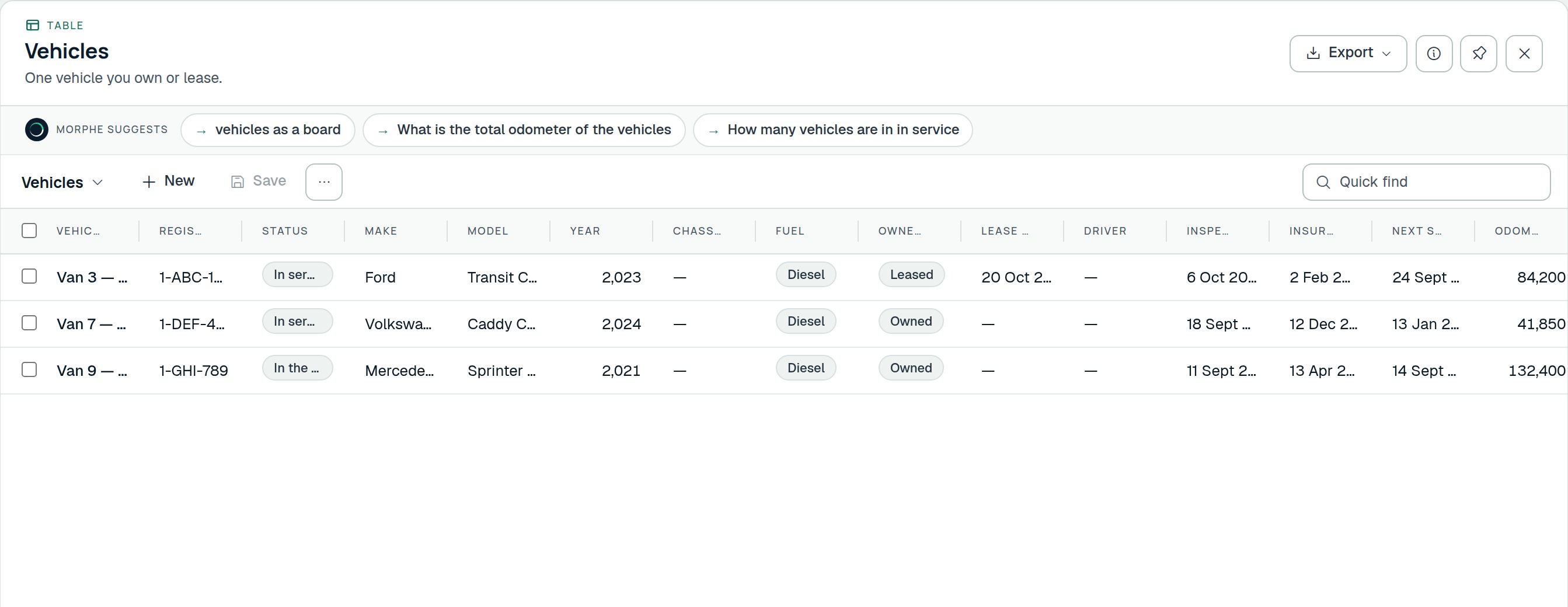
FleetBrings Vehicles, Vehicle costs, Service bookings, Incidents
The vehicles you run, what they cost, what is booked for them, whether they were checked this morning, and what is due when.
Start with this
FleetBrings Vehicles, Vehicle costs, Service bookings, Incidents
The vehicles you run, what they cost, what is booked for them, whether they were checked this morning, and what is due when.
 Start with this
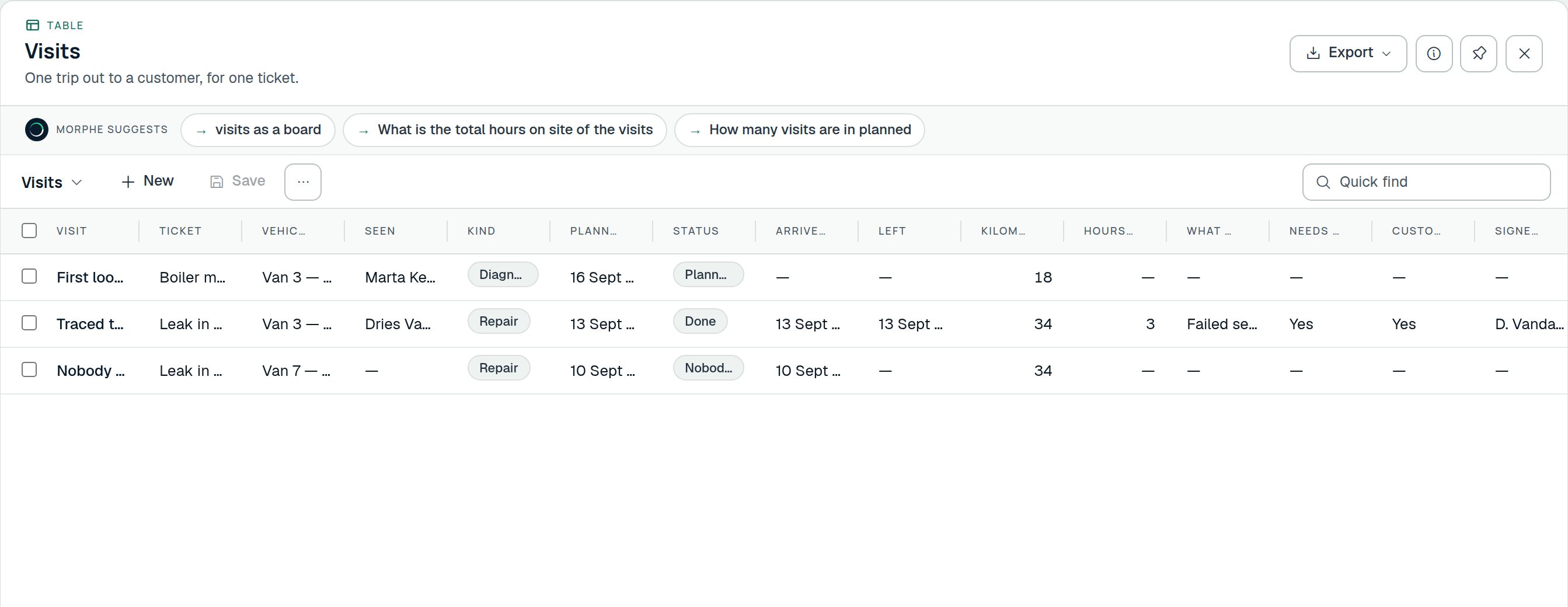
Field serviceBrings Visits, Parts used, Maintenance plans
Send somebody out to a job, on a ticket or on a maintenance plan, and know what the visit took: the hours, the parts, and the sign-off.
Start with this
Field serviceBrings Visits, Parts used, Maintenance plans
Send somebody out to a job, on a ticket or on a maintenance plan, and know what the visit took: the hours, the parts, and the sign-off.
 Start with this
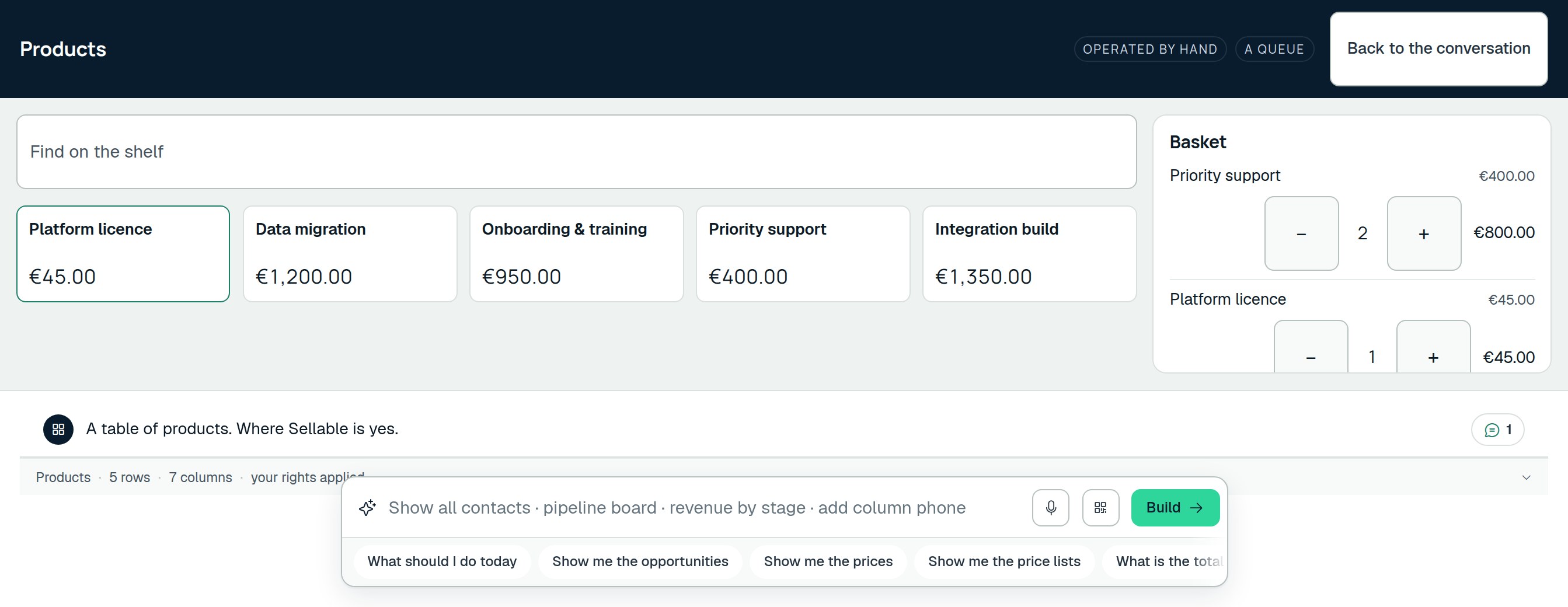
CounterBrings Counter sales
A till over the catalogue you already price things in: what went over the counter, when, at which till and paid how.
Start with this
CounterBrings Counter sales
A till over the catalogue you already price things in: what went over the counter, when, at which till and paid how.
 Start with this
Watch a sentence become a screen
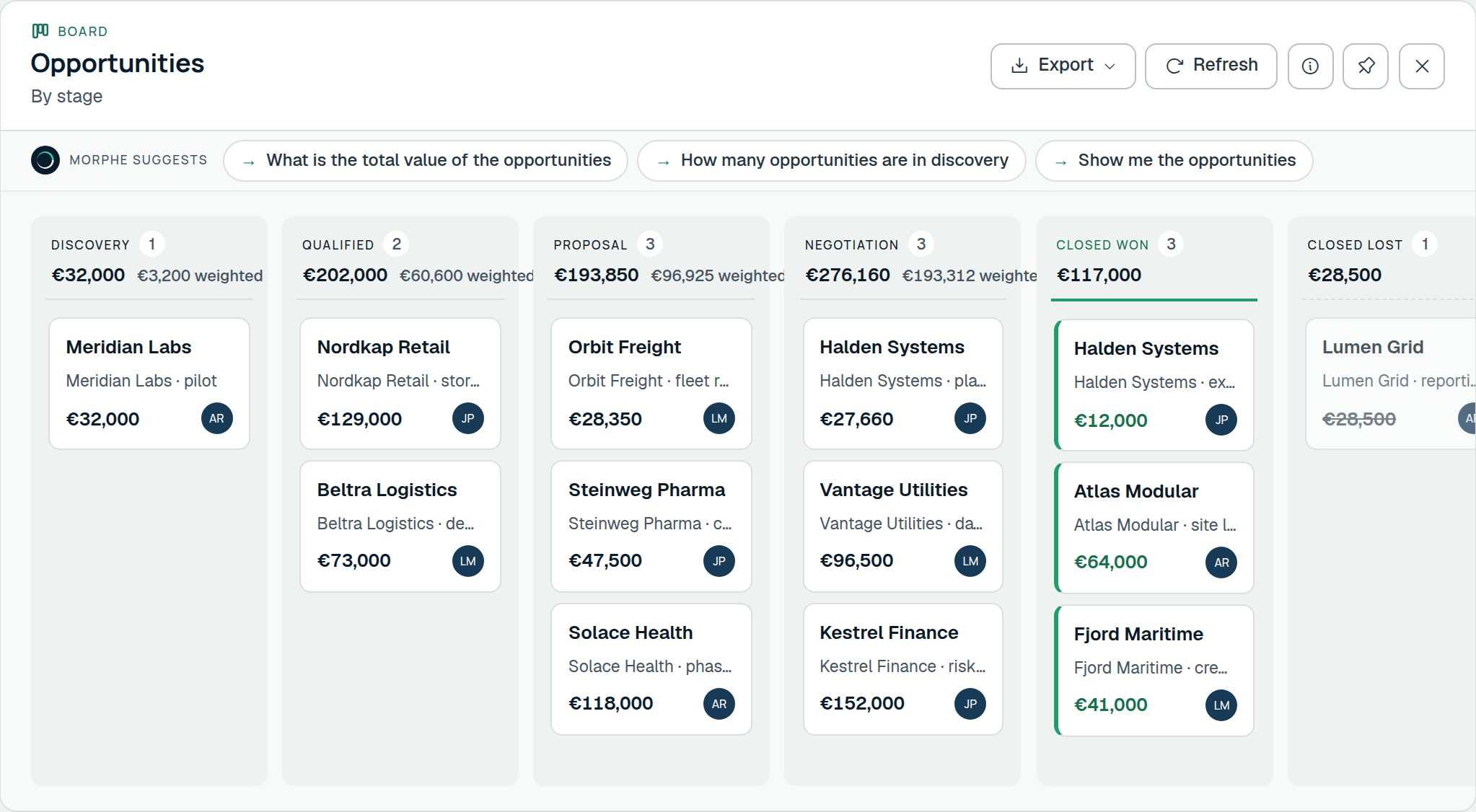
Sixteen seconds of the real product, unedited: a list of contacts, the pipeline as a board, a deal opened from a card, and the revenue by stage, each one typed, none of them built.
Every prompt returns a working screen
Never a paragraph of text back, never a link to a settings page. The prompt always returns something you can use, and everything inside it (columns, sorting, filters, export, save) is reachable from the prompt too.
| A grid, filtered, sorted, ready to export | |
| A filled-in form, shown before anything is saved | |
| A schema change, proposed for you to confirm | |
| An automation, dry-run before it is switched on | |
| A number, with the chart behind it |
Tables you can rename, remove and add to
Every table the product ships with can be renamed, put away or removed, and you can define your own alongside them.
- Your tables, your words
- Accounts become Sites, Opportunities become Jobs. The name follows everywhere: screens, search, the prompt, even the error messages. Or define something the product never heard of: assets, inspections, tenancies, cases, shipments.
- Columns that do real work
- Text, choice, currency, date, lookup, autonumber. Then the ones that think: a formula worked out from the other columns of the same row, and a rollup that counts or sums the rows pointing at it.
- Real relationships
- One-to-many, and many-to-many where both ends hold many of the other. A process a record moves through, with rules at each step. Roles that tell a board which column is the stage and a chart which one is the value.
- Rules and automations
- A discount over twenty per cent needs sign-off. A won deal tells the finance team. Written as a sentence, shown as a flow, dry-run against real records before it is ever switched on.
- Open at both ends
- A versioned REST API over the tables you defined this morning, with an OpenAPI document generated per key. Inbound webhooks, outbound HTTP calls, mail in and out, SSO and directory provisioning.
- Serious about permissions
- Roles, privileges with depth, business units, teams, per-column security, per-row sharing and an audit trail. The same rules apply to the API, because it is the same code, not a second write path that forgot one.
The interface follows the sentence, not the other way round
Most software makes you learn where things are. You want a list of overdue invoices, so you find Invoices, then a view picker, then a filter builder, then a column chooser. Four screens to ask one question.
Here the question is the interface. A deterministic parser answers most prompts instantly, on this machine, without anything leaving it. Where a sentence is ambiguous, a model helps, and it is told only about the records you named, capped at ten.
- The screen starts drawing before the model has finished
- Ask again and the new screen takes the canvas; the old one shrinks into the rail
- Two screens side by side when you need to compare
- Undo walks back the last thing the prompt did
Changing the shape of the app is a sentence too
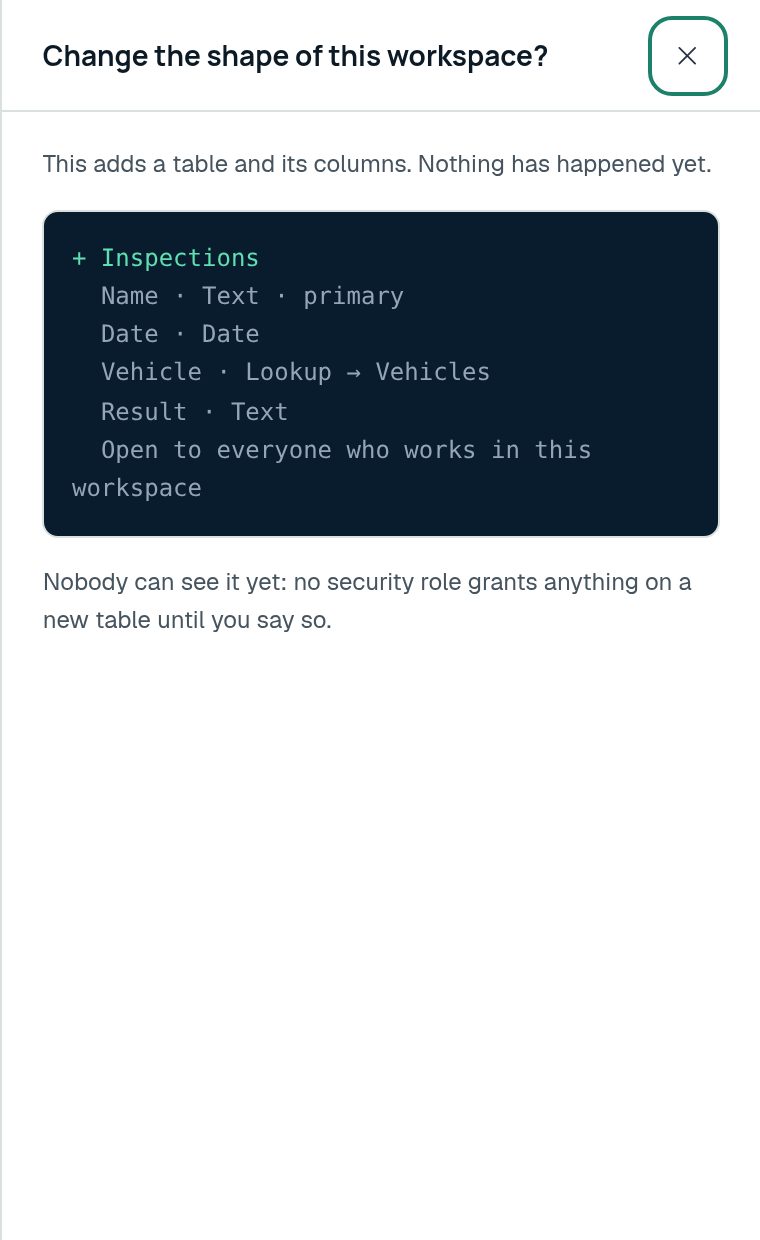
Adding a table, adding a column, renaming an entity, saying which column is the stage of a board: all of it is said in the prompt and all of it comes back as a proposal you read before anything changes.
Nothing is applied because a model was confident. You see exactly what will happen, in your own table names, and you say yes.
- Every schema change is proposed, never silently applied
- A table added this morning is in the API this afternoon
- Refusals explain themselves: which rows, which columns, which table points where
- Nothing is destroyed to put a shipped table away: you can put it back
What you get on day one
Not a blank canvas and good luck. The trial workspace arrives with demo data in it, so the first prompt has something to answer.
Screens the prompt makes
- Grids with columns, sorting, filters and saved views
- Record pages with a timeline of what happened
- Forms that validate before they save
- Boards grouped by any choice column
- Charts, calendars and timelines
- A single number when the question has one for an answer
- A screen that explains where its own figures came from
Working with data
- Import from Excel and CSV, with the columns matched for you
- Export any screen to CSV or Excel
- A recycle bin that holds deletions for thirty days
- Duplicate detection before a record is created
- Full-text search across every table
- Bulk edits, from the prompt, with an undo
- Quotes and invoices as documents a customer can be sent
Running a team on it
- Security roles with privileges at four depths
- Business units and teams
- Column-level security profiles
- Sharing a single record with one person
- An audit trail of who changed what
- Two-step verification
- Notifications for what happened while you were away
What it is not
There is no service desk and no marketing automation: no ticket queues or SLA clocks, no campaigns or bulk sending. Each is a domain the size of everything here, and half of one is worse than none.
The prompt says so when you ask, offers what there is instead, and offers the table designer if you want to build it yourself. We would rather tell you now than let you find out in month three.
- No ticket queues or SLA clocks
- No campaigns or bulk email sending
- No telephony or call recording
- No accounting ledger: invoices, yes; a general ledger, no
An application designed around what you do
The product asks about your business first and builds second. It takes about twenty minutes, and everything is proposed before any of it exists.
- DescribeOne or two sentences about what you do, in your own words. Your website, if you want it read.
- UnderstoodWhat it read back: the work, as it seems to go, step by step. Wrong? Change a word and go again.
- QuestionsA few, about the things it could not know: what you call a customer, what a job goes through, who signs off.
- DesignThe tables, the stages, the rules and the automations your trade runs on, as a proposal you read, not a workspace you find.
- Team and rolesWho does what, so who may see and change what is worked out from that rather than ticked in a grid.
- BuiltMade all at once, with the first thing to do already in the box. Everything after that is a sentence.
What a built application costs
One fee beside the subscription, charged per module delivered rather than up front. The rate is read from the same catalogue the order screen quotes from, so this page and your order cannot disagree.
€12 per million tokens of model work, at this deployment’s configured rate.
- A module is the handful of tables that belong together. It is what gets built, what gets invoiced, and what you can start using while the rest is still running.
- A module whose tables are ones we already ship is included in the subscription and charged nothing at all.
- The amount on your order is a ceiling rather than a price: a module that used less than it was estimated to use is invoiced for less, and never for more.
- A module that fails validation is not delivered and is not charged for.
Until this deployment has finished a build of its own, the estimate assumes 2000 tokens and 1.2 seconds of work for each table, column, rule, automation and example row, and the order says the word “assumed” on the screen. After the first build it quotes what it measured instead.
Seven days, demo data, no card
Sign up and the workspace is there with data in it. Ask it something. If it fits, pick a plan and pay by card, Bancontact, iDEAL or SEPA direct debit. If it does not, do nothing and it lapses on its own.